
How to run a nightclub guest list
A guest list is only useful if the door can trust it. That takes one list instead of five, a person behind every entry, and a count at the end of the night of who actually came.
Key takeaways
- Keep one list for the night. Every host, promoter and manager adds to the same one.
- Every entry needs a name, a party size and the person who added it.
- Set a cut-off for new names, and mark arrivals on a phone so the floor sees them as they happen.
- After the night, count the guests who arrived per host and promoter, not the names on the list.
At eleven on a Saturday the door has a queue, a clipboard, three message groups and a promoter saying his ten are definitely on the list. Every minute spent looking for a name is a minute the queue does not move. A guest list works when the answer to "am I on it?" takes five seconds and is the same whoever is asked.
One list, not five
Most guest list trouble comes from there being more than one. The manager keeps a spreadsheet, each promoter sends names by message, the VIP host has a notebook, and the table bookings sit somewhere else again. The door then merges them in its head, in the dark, with music on.
Put every name for the night in one place that everyone works from, and make it the only list the door accepts. A name that is not on it by the cut-off is not on the list, whoever sent it. The rule is uncomfortable for one weekend and saves an argument every weekend after.
Keep table bookings and names on the same list too. The door should see that a party of six has booth V03 as easily as it sees that two people are down for free entry before midnight.
What every entry needs
- A name
- The name the guest will give at the door, spelled the way they will say it. One name per party is enough if the party arrives together.
- The party size
- How many people the name covers. "Anna plus three" is four people, so write four.
- Who added it
- The host or promoter responsible for the entry. Without this you cannot answer the door's questions tonight or the manager's questions on Monday.
- What they get
- A table, free entry, reduced entry until a certain time, or simply a place in the short queue.
- A note
- A birthday, a bottle on ice, a guest who should not be seated near another. Keep it short enough to read in the dark.
Who may add names
Decide who can put people on the list, and how many. A promoter with no limit will add everyone they have ever met and bring a fraction of them.
- Give each promoter and host an allocation for the night, and count it in people, not in entries.
- Set a cut-off, for example an hour before doors. After it, only the manager adds names.
- Make the person who adds a name answerable for it. If their guests never arrive, or cause trouble, it shows in their numbers.
- Keep the right to refuse entry at the door, list or no list, and tell promoters so in advance.
At the door
The door needs three things: to find a name fast, to mark it as arrived, and to know who is still to come.
- Search, do not scroll. Typing three letters of a name beats reading down a page.
- Mark the guest as arrived the moment they pass, with the number who really came. A party of eight that arrives as five is five.
- Send table guests on with someone who knows where the table is, or let the floor know they are coming.
- When a name is not there, have one answer: the door asks the manager, not the promoter.
If the door marks arrivals on a phone and the floor sees them at once, the host knows a party is inside before they reach the stairs. The manager can also see at midnight which tables are still unclaimed and can be offered to the queue.
What to count afterwards
The list is also the record of what your promoters and hosts delivered. Names added are easy to inflate. Guests through the door are not.
Arrival rate = guests who arrived ÷ guests on the list × 100
Two promoters on one Saturday, as an example:
| Step | Result |
|---|---|
| Promoter A, guests on the list | 60 |
| Promoter A, guests who arrived | 21 |
| Promoter A, arrival rate: 21 ÷ 60 | 35% |
| Promoter B, guests on the list | 25 |
| Promoter B, guests who arrived | 20 |
| Promoter B, arrival rate: 20 ÷ 25 | 80% |
Promoter A looked busier on Friday afternoon. Promoter B brought almost as many people with fewer than half the names, and the door spent far less time on guests who never came. Pay and allocate on arrivals, not on names.
Look at the same number for each guest over time. A regular who books every week and arrives once a month should not hold your best table on a busy night. A guest who has come eight times this year should be greeted by name.
Count the door's side as well: how many guests arrived in each hour, and when the queue was longest. It tells you when to open a second lane, and where the cut-off for free entry should fall next week.
Common mistakes
- Accepting names by message after the cut-off, just this once.
- Counting entries instead of people, so the list says 150 and 400 turn up.
- Entries with nobody behind them, so no one is answerable when they go wrong.
- A list the floor cannot see, so the table is not ready when the party arrives.
- One shared login or one clipboard, so nobody knows who changed what.
- Throwing the list away after the night. Last month's lists show which promoters and which guests really come.
Guest lists in Firetable
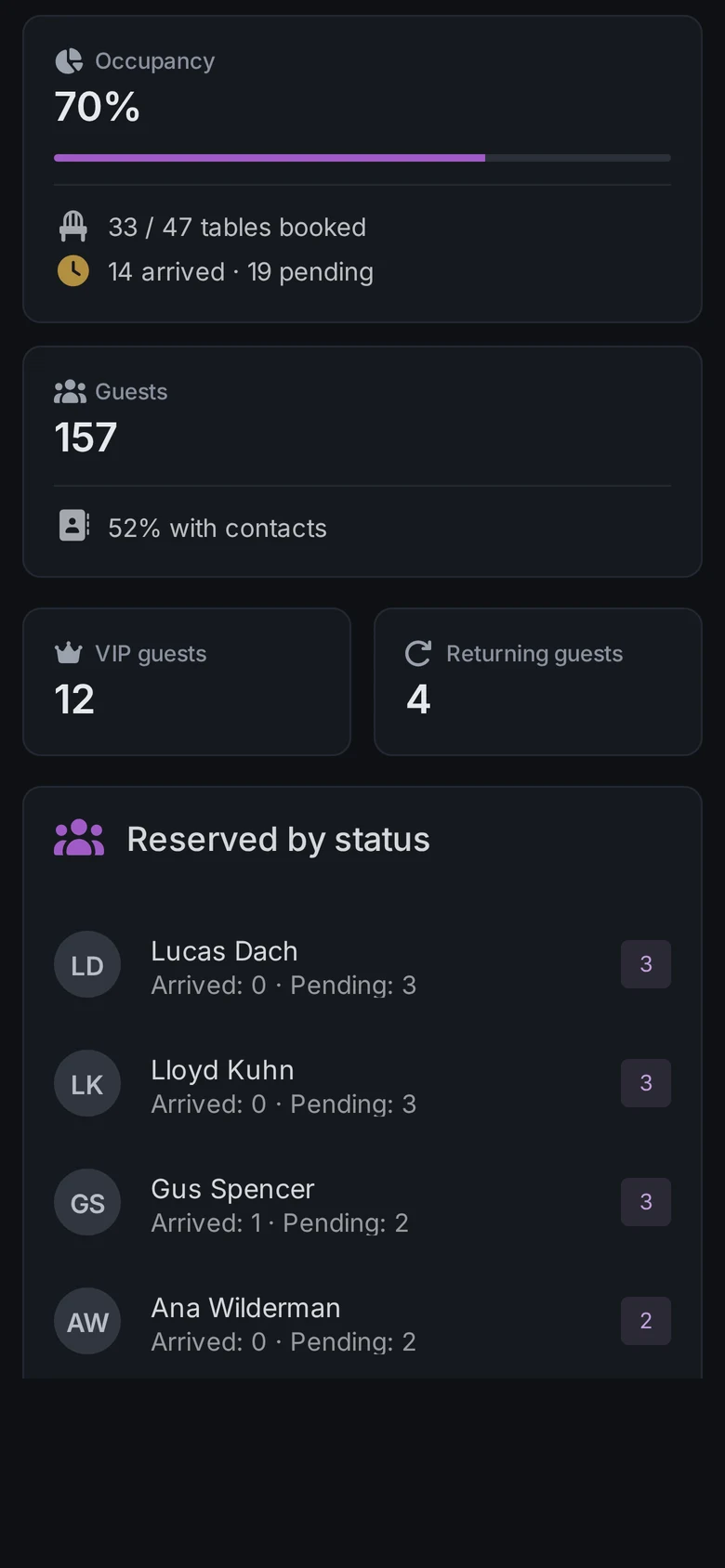
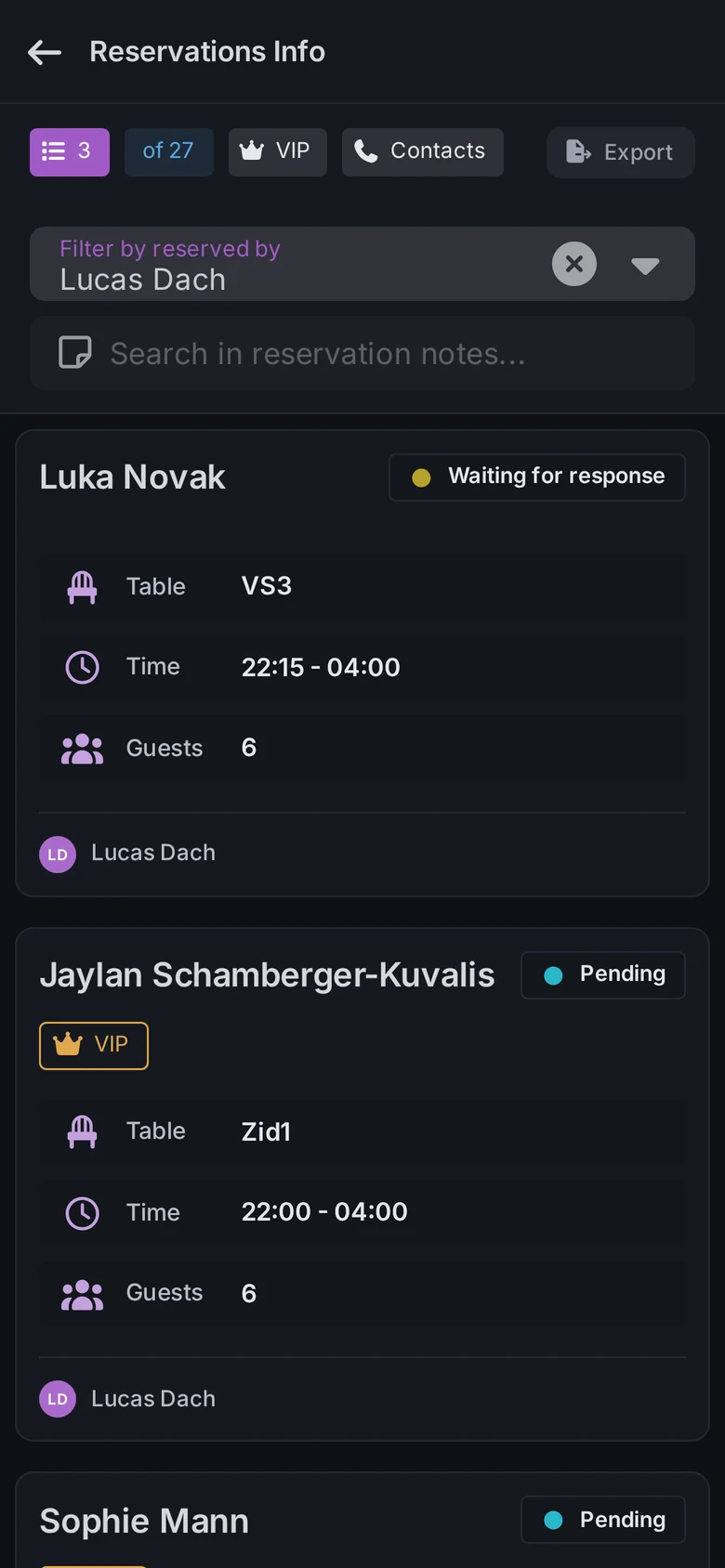
In Firetable the list for a night is the list of its bookings. Each night is an event with its own guest list, and every booking carries its table, party size, note, VIP flag and the host or promoter who took it. Filter the night by that person to see their bookings, with how many have arrived and how many are still pending. At the door, search part of a name, open the booking and switch it to arrived, and the table changes colour on every phone on shift. Each guest keeps a profile with tags, their visit history and an arrival rate, and the night's bookings export as CSV. See guest list management software for how it looks.