Teams struggling to read the pace of service
Choose this page when bunching, gaps, and overloaded time windows are harder to manage than the bookings themselves.
Reservation Timeline Software
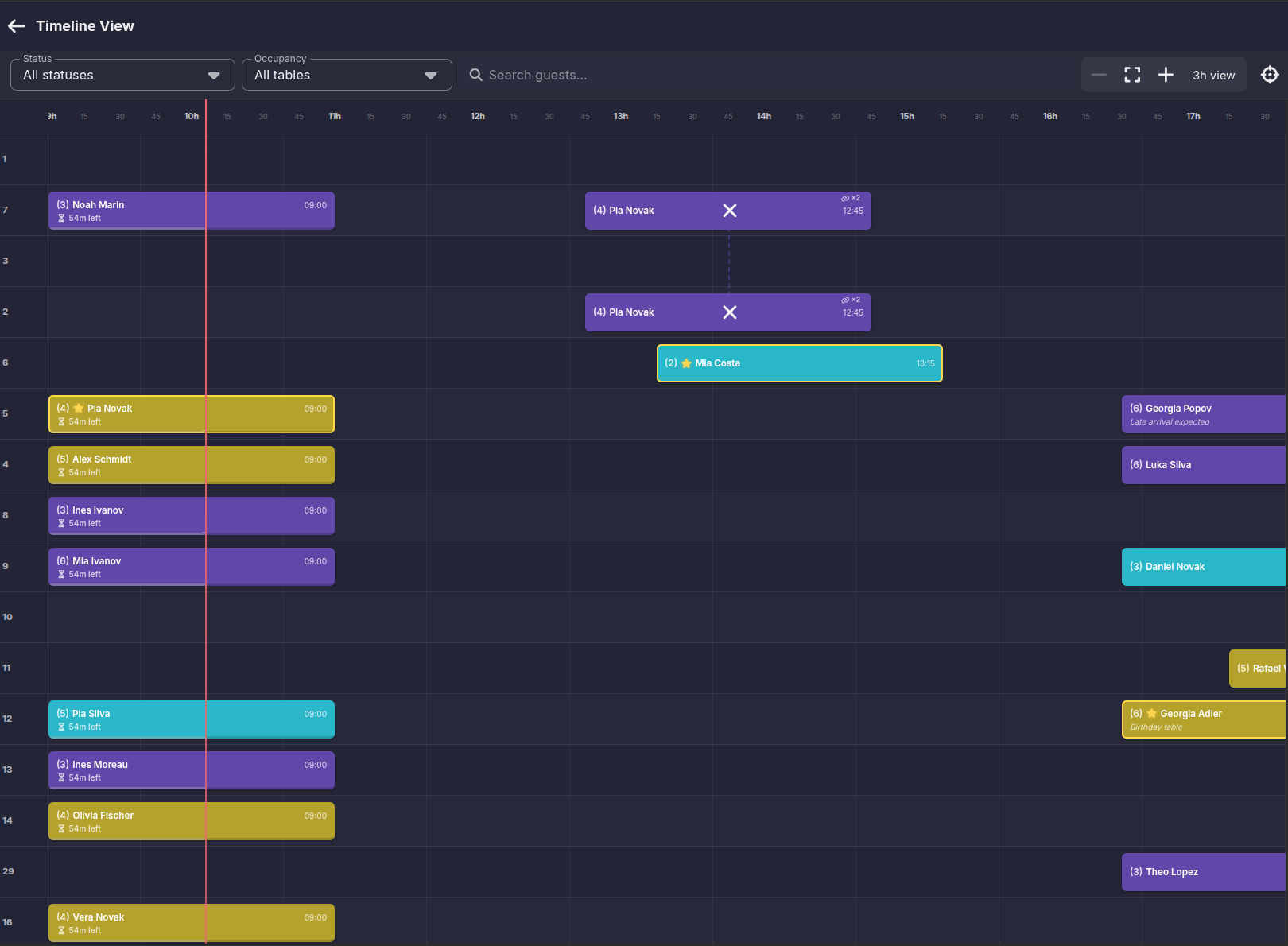
Firetable gives teams a live reservation timeline so they can see booking flow across the shift, spot pressure early, and make faster seating decisions from one screen.
Who It's For
This page is for teams whose main problem is reading the flow of the shift clearly enough to react before service pressure builds.
Choose this page when bunching, gaps, and overloaded time windows are harder to manage than the bookings themselves.
It fits venues that need one live view of what is arriving next and where pressure is building across the shift.
It is strongest when the timeline is not just reporting and needs to support guest lookup, moves, and quick decisions directly.
Timeline visibility is useful because it shows the flow of the room, not just the next booking.
Track reservations across the active service window so the team can see the pace of the shift clearly.
Spot bunching, slow periods, and overloaded sections before they create service problems.
Keep booking details, guest names, and timing visible without opening separate views.
A timeline only helps if the team can act from it.
Update reservations, reassign tables, and react to delays without losing the rest of the shift view.
Work inside the most relevant hours instead of being buried in the whole day at once.
Use guest search, status filters, and occupancy filters to jump straight to the bookings that matter.
Timeline software is strongest when multiple roles can work from the same view.
Help hosts understand what is arriving next and where seating pressure is building.
Let managers oversee the service flow without needing constant manual updates from the team.
Reduce duplicated questions by keeping the live timeline visible to the people making decisions.
Keep Exploring
Use the linked pages below when timeline visibility needs to connect to a broader reservation or table workflow.
Choose this when timeline visibility needs to sit inside a fuller reservation board for restaurant operations.
Learn moreChoose this when the timeline mainly serves host-stand execution, guest lookup, and arrival handling.
Learn moreChoose this when the hard part is seat assignment, section balancing, and live table moves after you spot the pressure.
Learn moreChoose this when VIP tables, nightlife bookings, and premium seat handling matter more than restaurant shift pacing.
Learn moreTrack bookings across the shift, filter the active window, and react faster when the room changes.
Request a demo1 month free · No credit card · Cancel anytime