Items & Categories
Organize your inventory with custom categories, units, and detailed item profiles. Track purchase prices, suppliers, and par levels for every product.
Bar Inventory
Track every bottle, mixer, garnish, and supply across nightclubs, bars, lounges, and beach clubs. Real-time stock levels and smart costing keep margins under control.
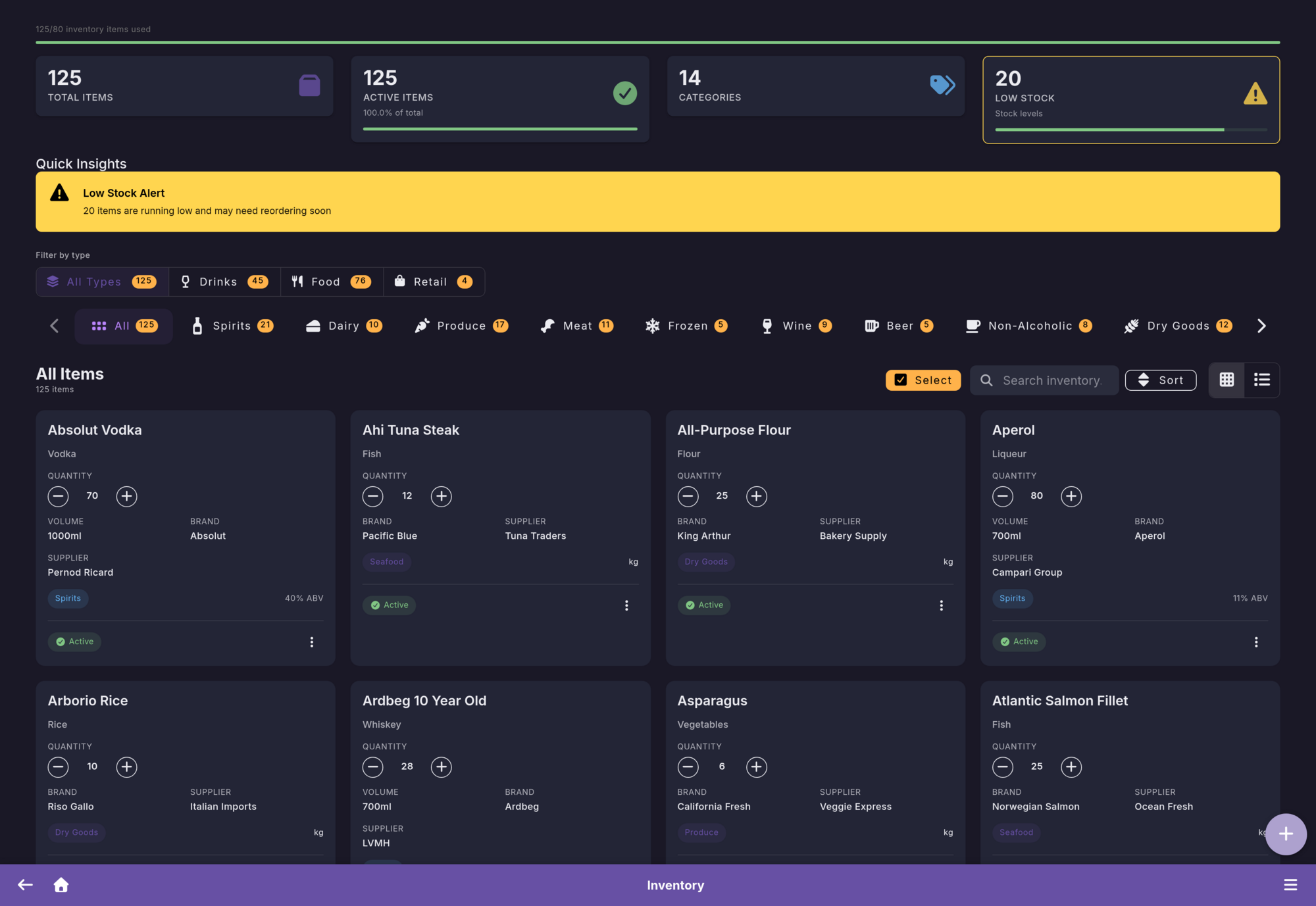
Stock Control
From bottles and mixers to beach club supplies, Firetable covers every part of nightlife inventory management.
Organize your inventory with custom categories, units, and detailed item profiles. Track purchase prices, suppliers, and par levels for every product.
Monitor individual batches with expiry dates, purchase costs, and remaining quantities. Perfect for perishable goods and premium spirits.
Record every inbound delivery, outbound usage, transfer between locations, and waste. Full audit trail for complete accountability.
Bulk import your existing inventory via spreadsheet. Export reports for accounting, tax filing, or supplier negotiations.
Costing
Choose the costing method that matches your business. Firetable calculates cost of goods automatically.
Oldest stock is used first. Ideal for spirits and beverages where you want to rotate inventory naturally and keep costs aligned with purchase order.
Items closest to expiry are used first. Essential for perishable goods like fresh ingredients, garnishes, and mixers to minimize waste.
Blends the cost of all batches into a single average. Great for high-volume items where individual batch tracking is less important than overall cost control.
Stock Takes
Count your inventory with confidence. Our guided workflow ensures accuracy every time.
Start a new stock take for your entire inventory or select specific categories.
Staff counts items on-site using the mobile app. Multiple team members can count simultaneously.
Compare counted quantities against expected stock. Discrepancies are highlighted automatically.
Approve the stock take to update inventory levels. A full report is generated for your records.
Hide expected quantities from staff during counts to prevent bias and ensure honest, accurate results.
Intelligence
Let Firetable do the thinking. Automated insights keep you one step ahead.
Get notified when stock drops below par levels. Smart suggestions factor in lead times and consumption velocity so you order at the right moment.
See how fast each product moves. Identify your best sellers, slow movers, and seasonal trends to optimize purchasing and reduce dead stock.
Automatic warnings when batches approach their expiry date. Prioritize usage of soon-to-expire items and cut waste before it happens.
Guides
Practical playbooks for stock takes, rotation rules, par levels, expiry handling, and waste reduction.
A practical step-by-step stock take workflow for bars, nightclubs, lounges, and beach clubs.
Read guide Costing MethodsUnderstand when to use FIFO, when FEFO matters more, and how to mix both methods by category.
Read guide ReorderingSet minimum stock levels based on demand, lead times, event nights, and seasonal service swings.
Read guide Waste ControlCut overpouring, expiry losses, dead stock, and missing transfers with clearer operational controls.
Read guideStart your free 1-month trial. No credit card required.
Get started free