
Arrivals, the queue and every free table on one screen Host stand software for restaurants with a full book and a queue at the door
Check guests in as they arrive, put walk-ins on the waitlist and seat them the moment a table frees up. Search any name and their table lights up on the floor, and everyone on shift sees the change at once.
One month free. Cancel any time.
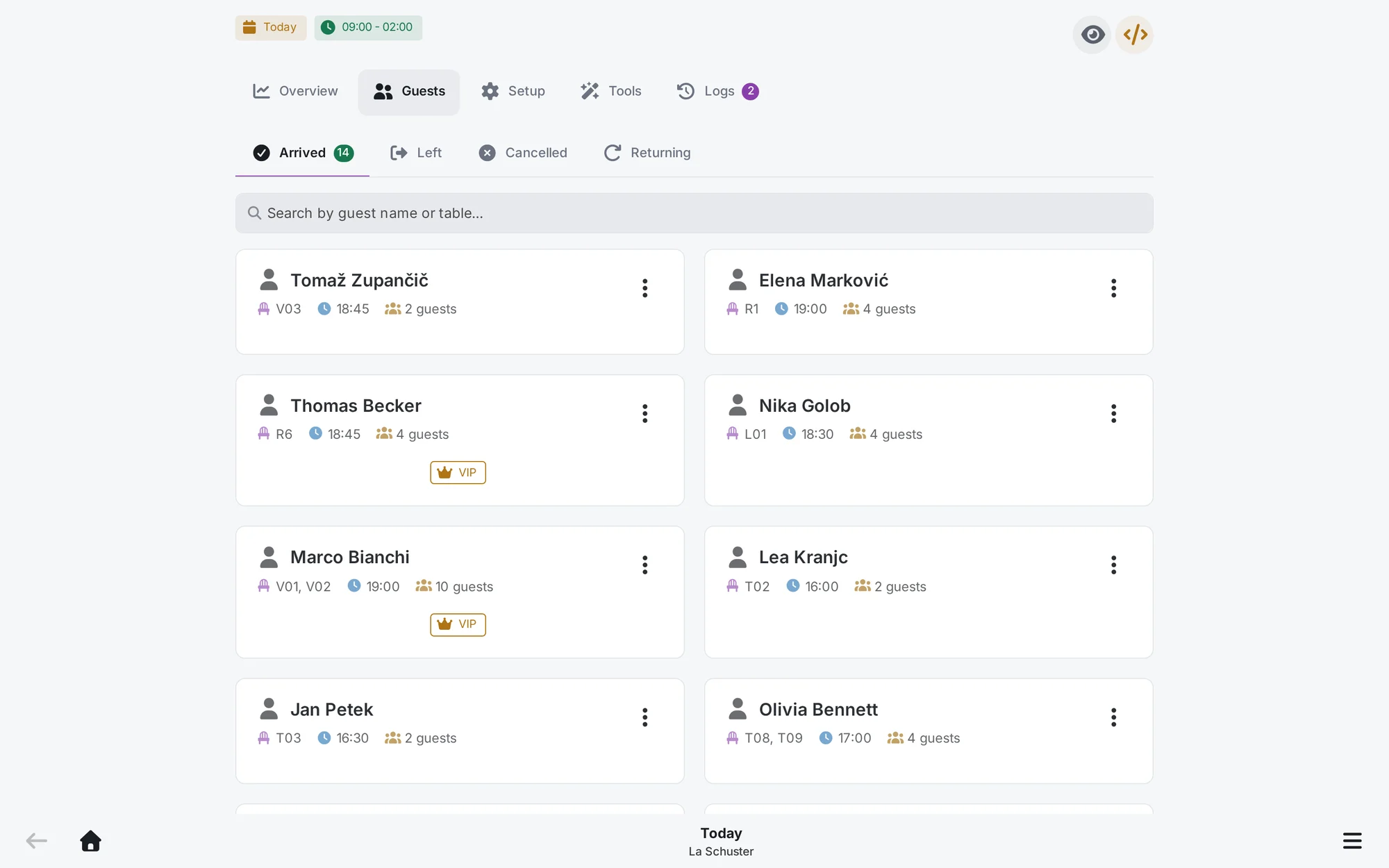
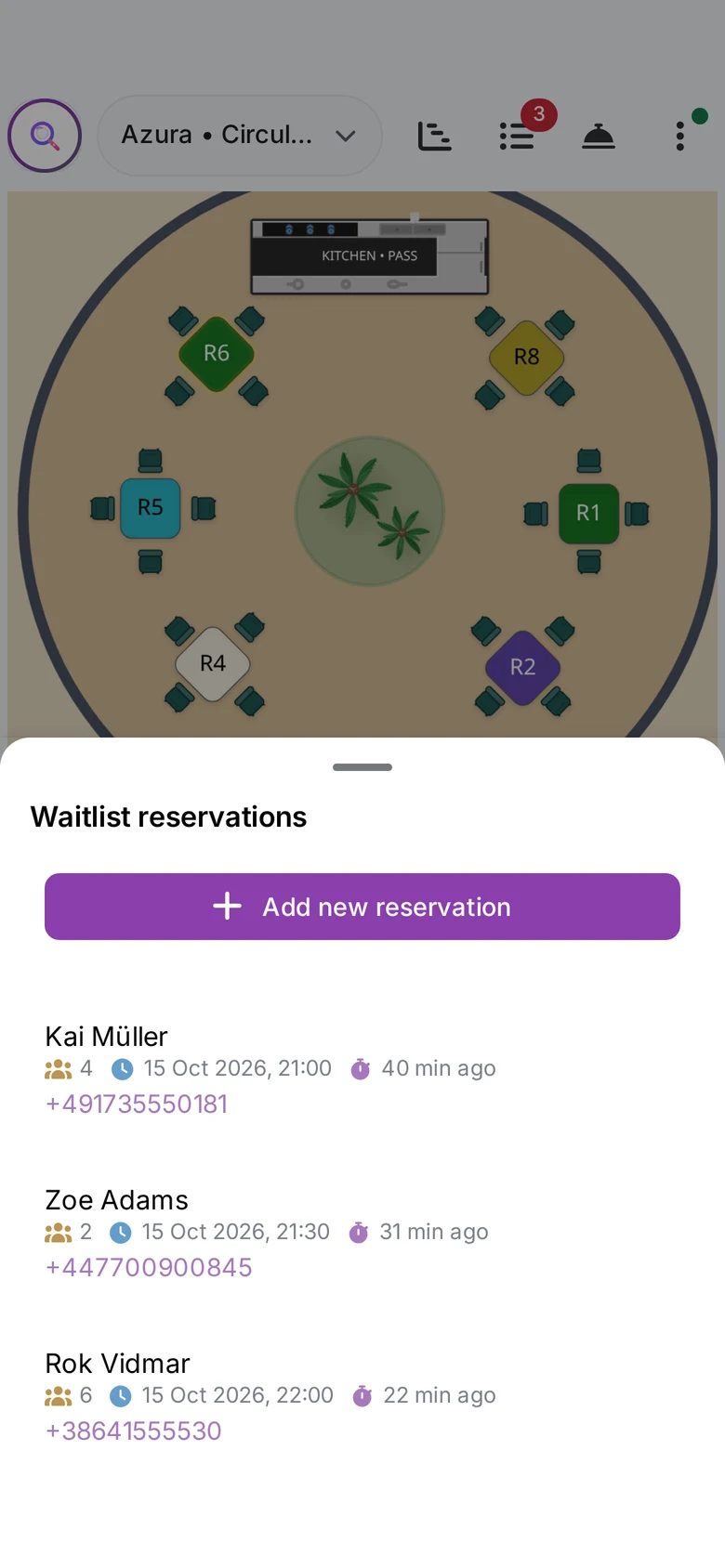
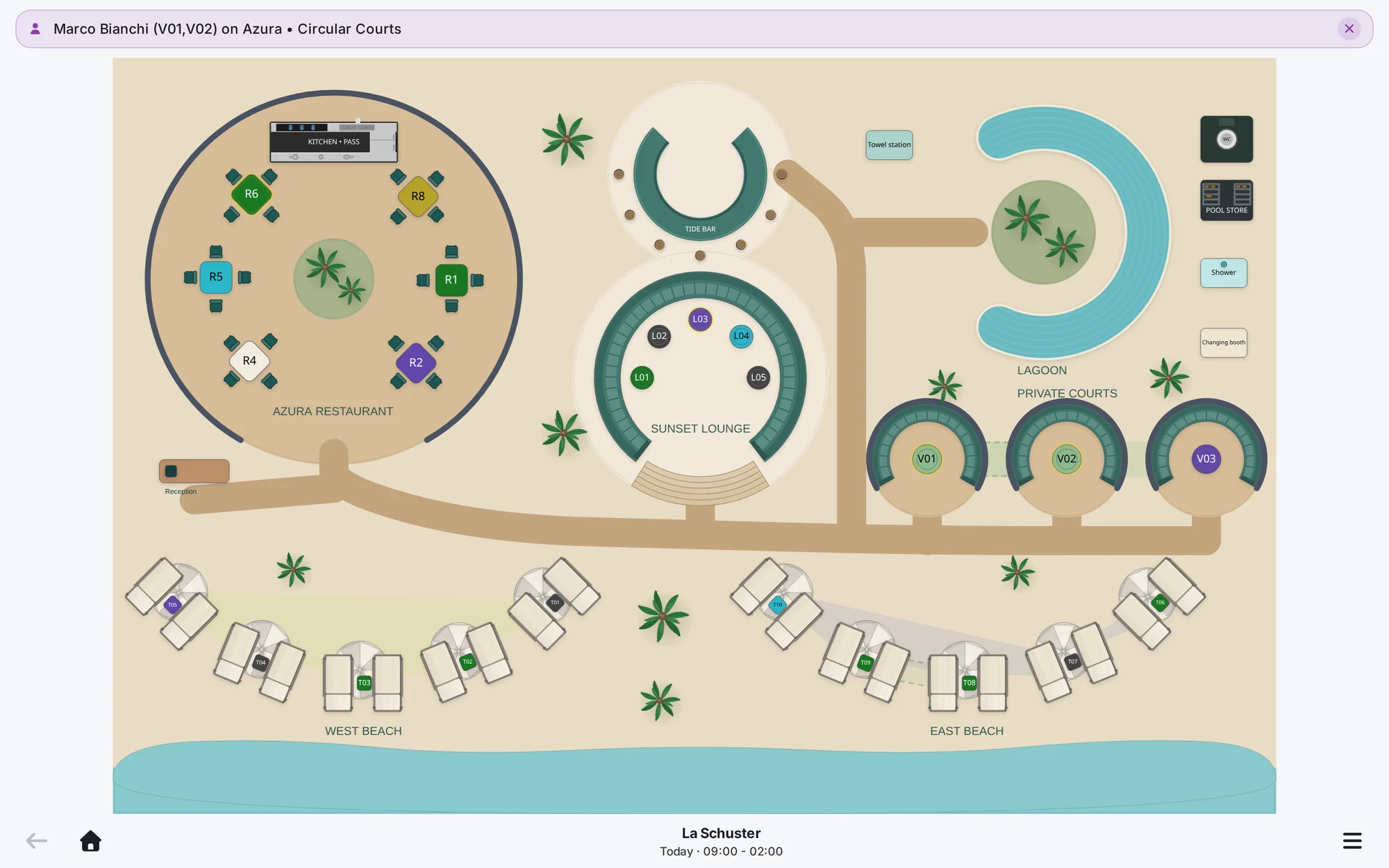
Guest search
Find any guest in seconds
Type part of a name and Firetable lists every match on every floor, with arrived guests ticked and VIPs marked. Pick one and the guest's table blinks on the floor, even when the party is spread over joined tables.
- Search across every floor of the venue
- Hide guests who have already arrived
- Matches counted per floor
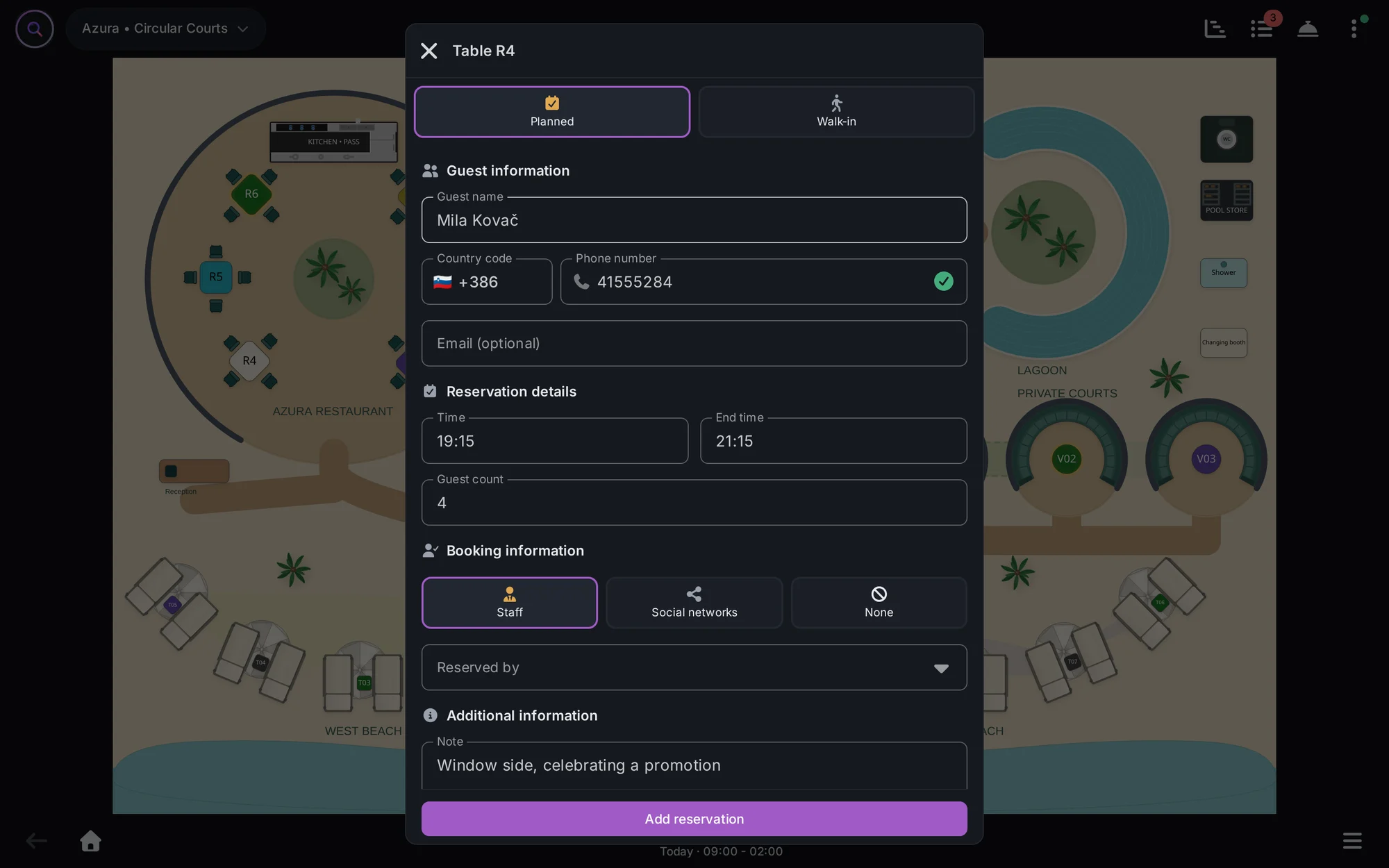
Walk-ins
Walk-ins seated in a few taps
Tap a free table, choose walk-in or planned, add a name, a phone number and the party size, and the table changes colour for everyone. Each booking records where it came from and who on the team took it.
- Planned bookings and walk-ins
- Phone numbers checked as you type
- The booking source and the staff member who took it
Your team
The whole team on the same floor
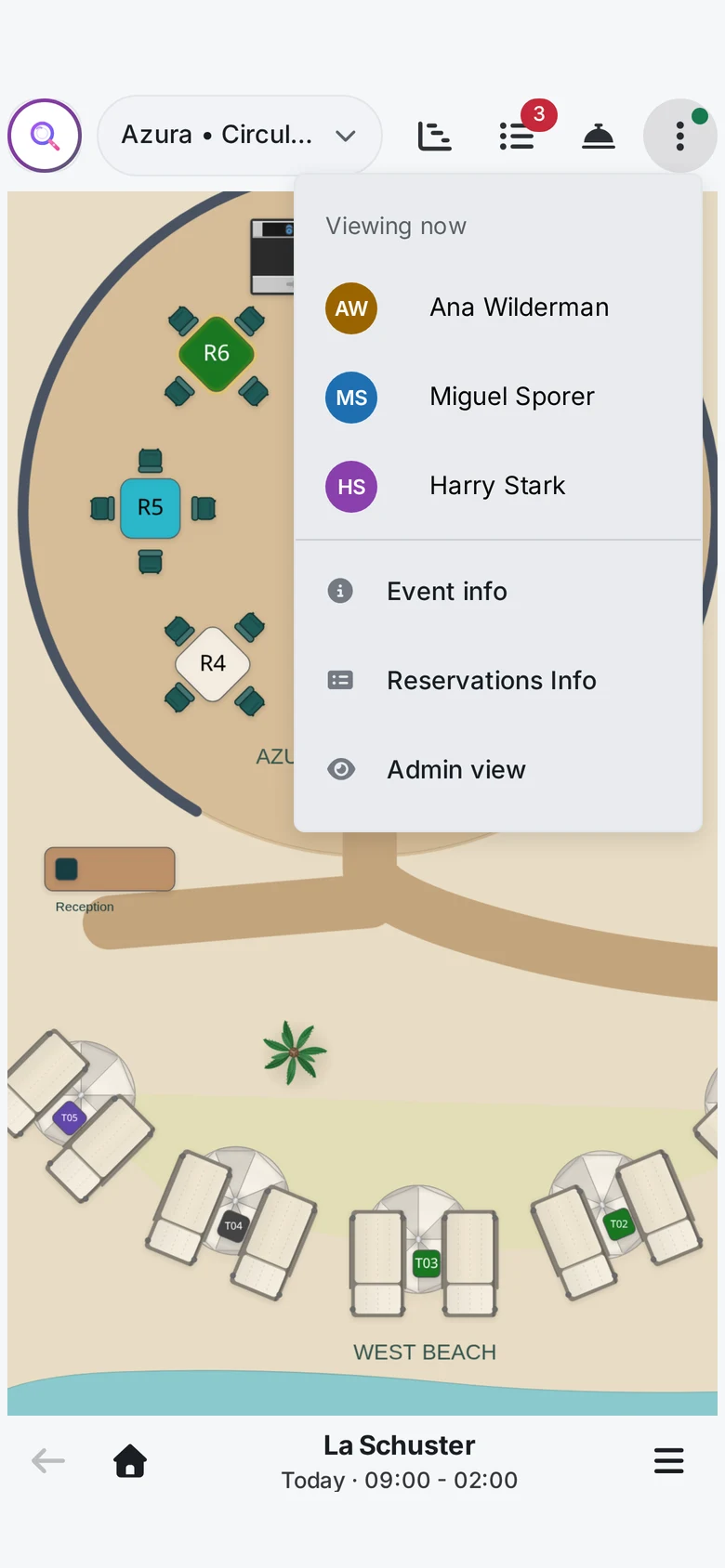
The host, the floor manager and the waiters see the same live plan on their own phones. The menu shows who else is viewing the floor right now, and every arrival, move and cancellation reaches them all at once.
- See who is viewing the floor right now
- Permissions for each member of staff
- Works on tablets, phones and laptops
Questions about the host stand
Something else? Write to support@firetable.app and a person replies.
What is host stand software?
It is what the host works from at the door: tonight's bookings, who has arrived, the waitlist and which tables are free. Firetable shows all of it on the floor plan, and every change reaches the rest of the team at once.
Does it run on a tablet at the door?
Yes. Firetable runs in the browser on tablets, phones and laptops, so the host stand can be whatever device you already have.
How do we seat a walk-in?
Tap a free table, choose walk-in, add a name, a phone number and the party size, and the table changes colour for everyone. If nothing is free, the party goes on the waitlist until a table opens.
How do we find a guest when the queue is long?
Type part of the name. Firetable lists every match on every floor, with arrived guests ticked and VIPs marked. Pick one and their table blinks on the floor.
Can each member of staff have their own access?
Yes. Permissions are set for each member of staff, and every booking records who took it and where it came from.
What does host stand software cost?
Basic is 49 EUR a month for one venue and Pro is 149 EUR a month for up to three venues. Both include reservations, the booking widget, live floor plans, guest lists, digital menus, inventory and analytics. Basic covers 15 team members and Pro covers 80. The first month is free, with no automatic charge when it ends.
Guides on this subject
Practical reading for the people who run the venue, with a worked example in each.
Set up your host stand this afternoon. Seat tonight's queue from a phone.
One month free with every feature. Cancel any time.