
Every table shows its party, its time and its state Table management software for restaurants that turn tables all evening
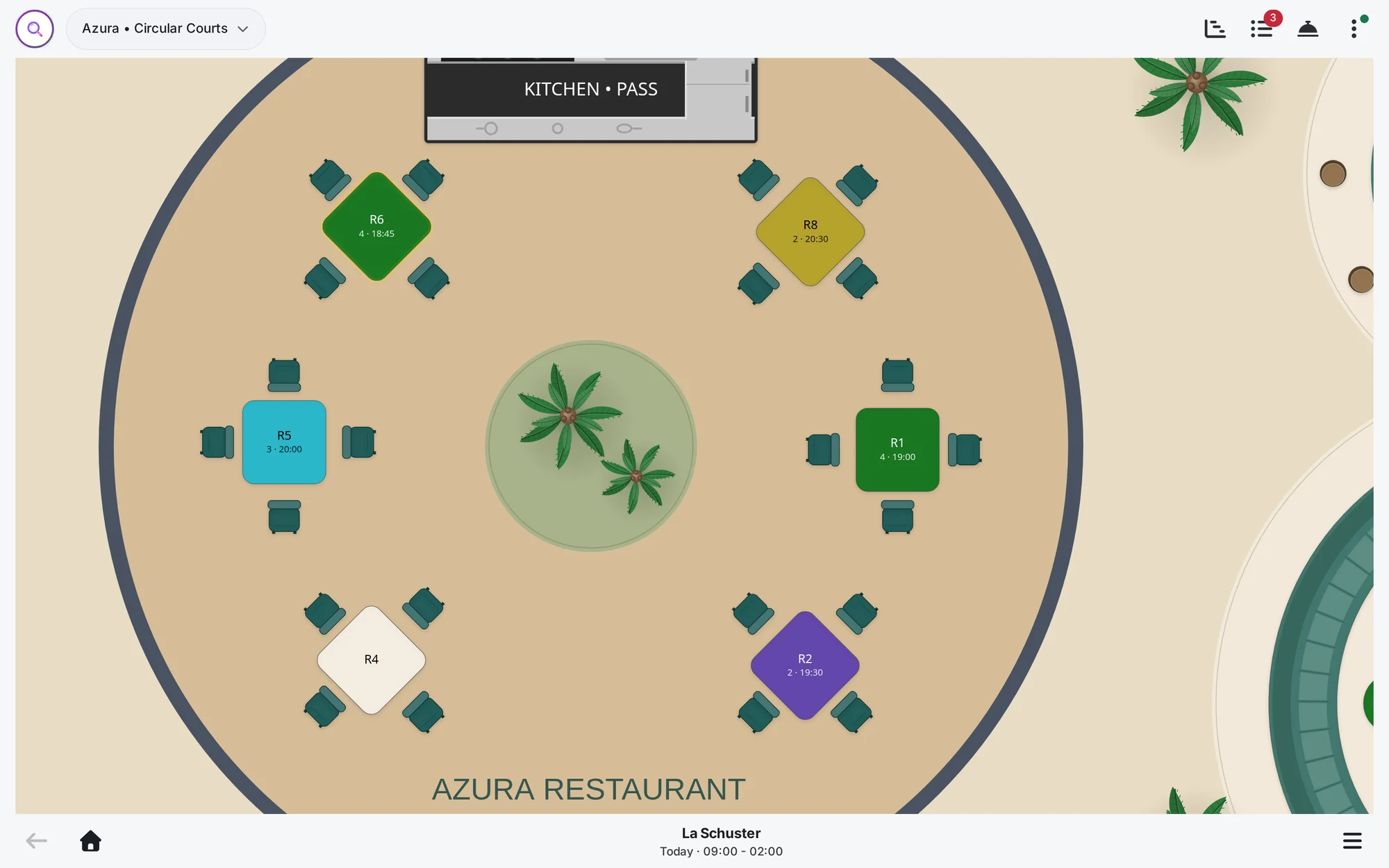
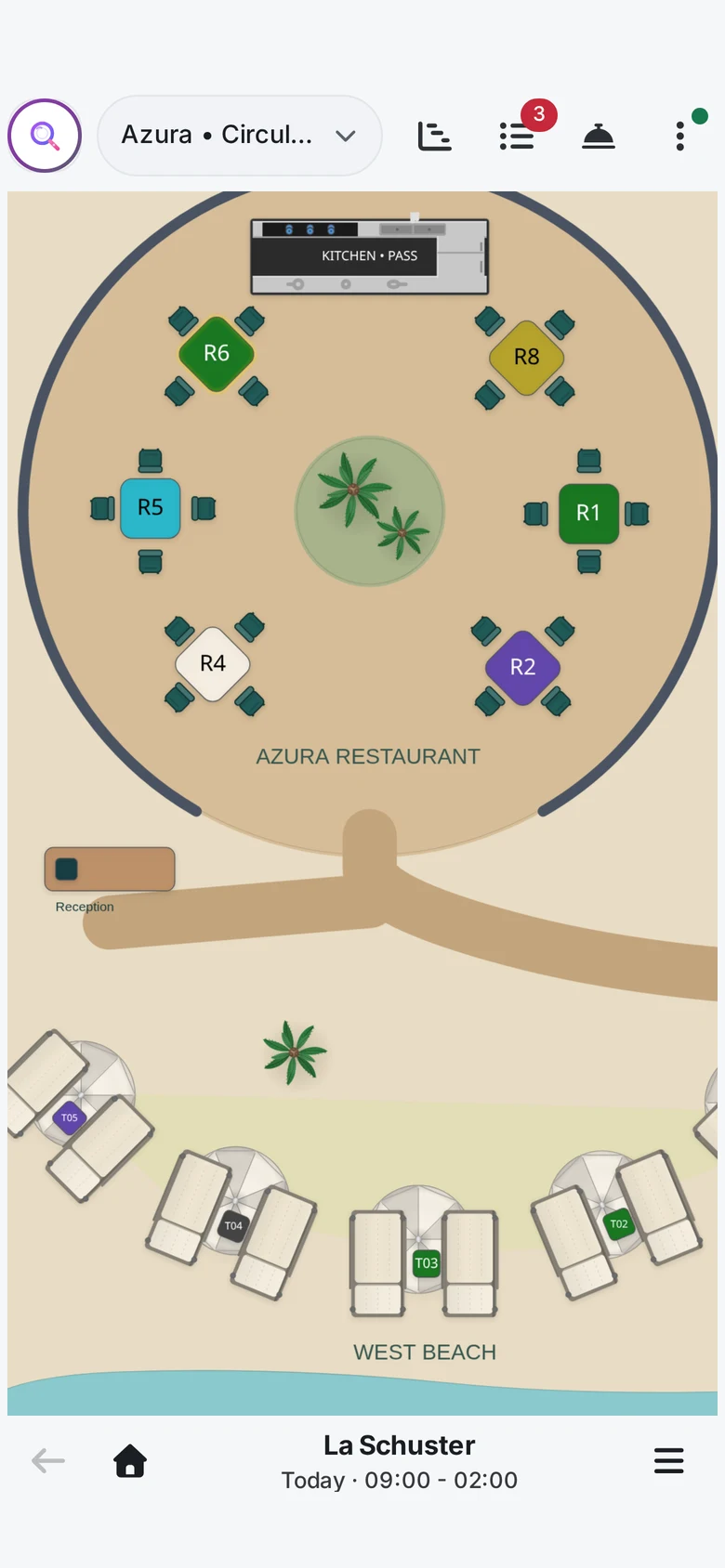
Your floor plan is your table plan. Each table shows the party size and booking time and takes the colour of its state, so the host and the floor see free tables, late tables and bookings still waiting for an answer without asking. Join, move and transfer bookings from any phone.
One month free. Cancel any time.
Big parties
Join tables for one party
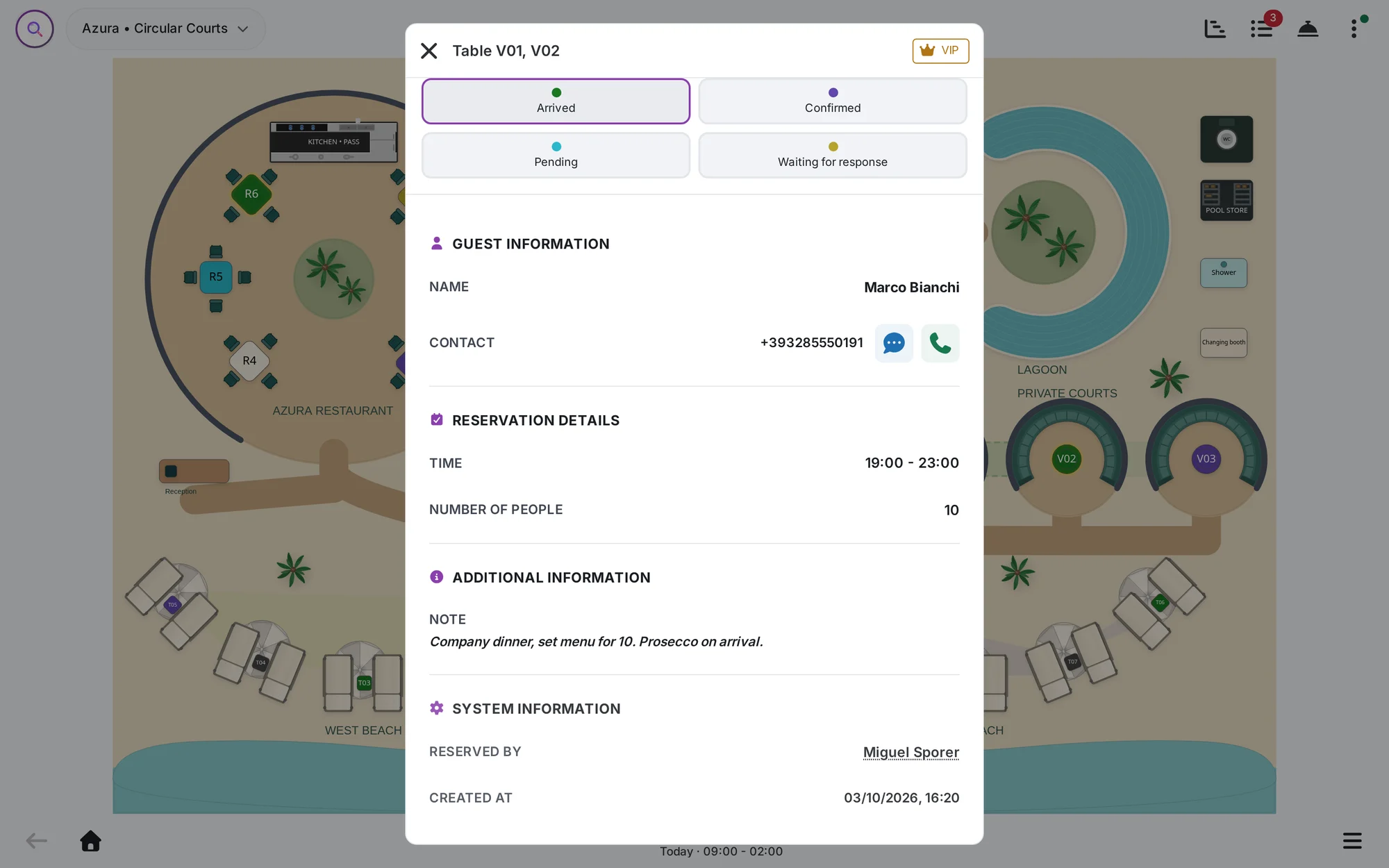
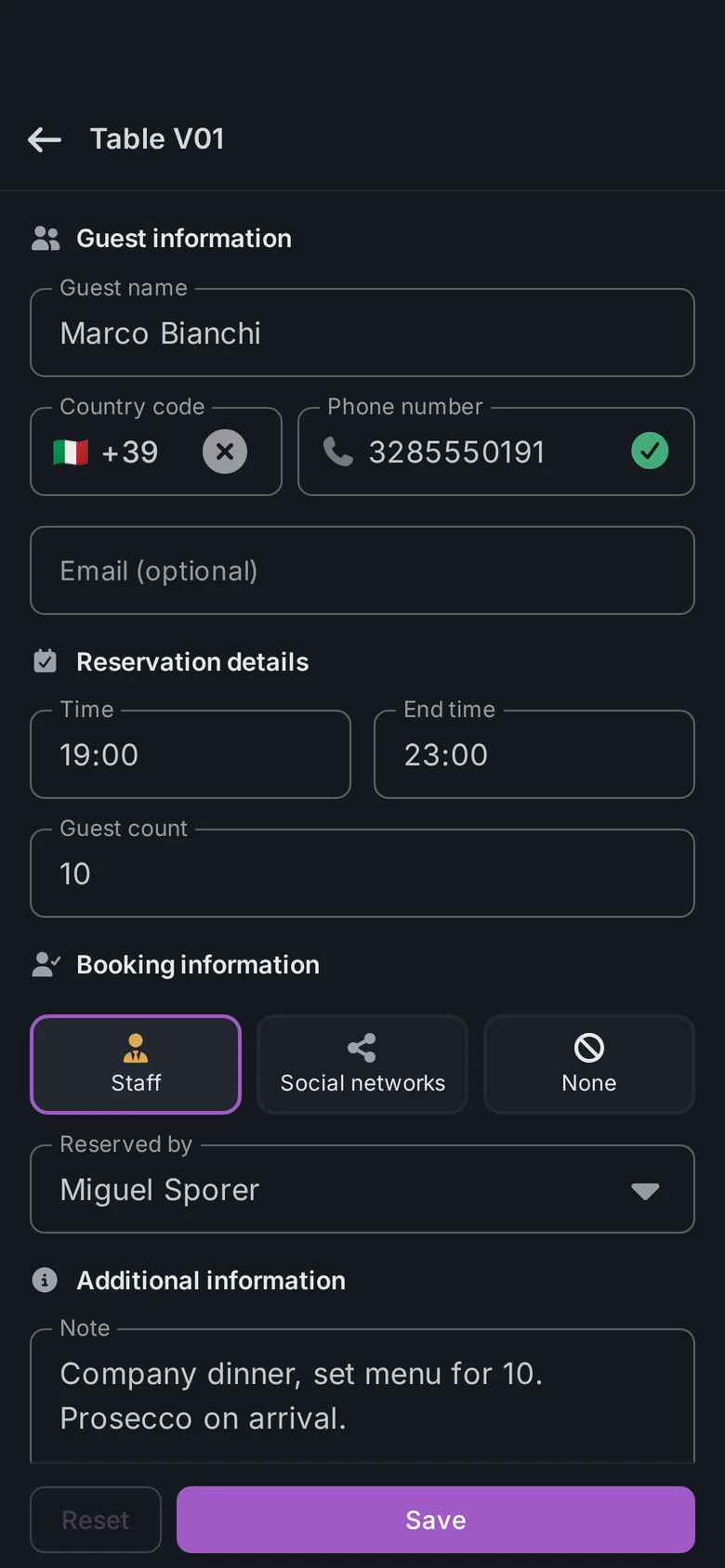
Link two or more tables to one booking and they share one outline on the floor. The booking keeps its name, contact, note, VIP flag and the person who reserved it, however many tables it covers.
- Joined tables drawn as one booking
- VIP bookings marked with a gold halo
- Notes and contact details kept with the booking
- Pending
- Confirmed
- Waiting for response
- Arrived
- Late
- VIP
Moves and turns
Move, transfer and end visits
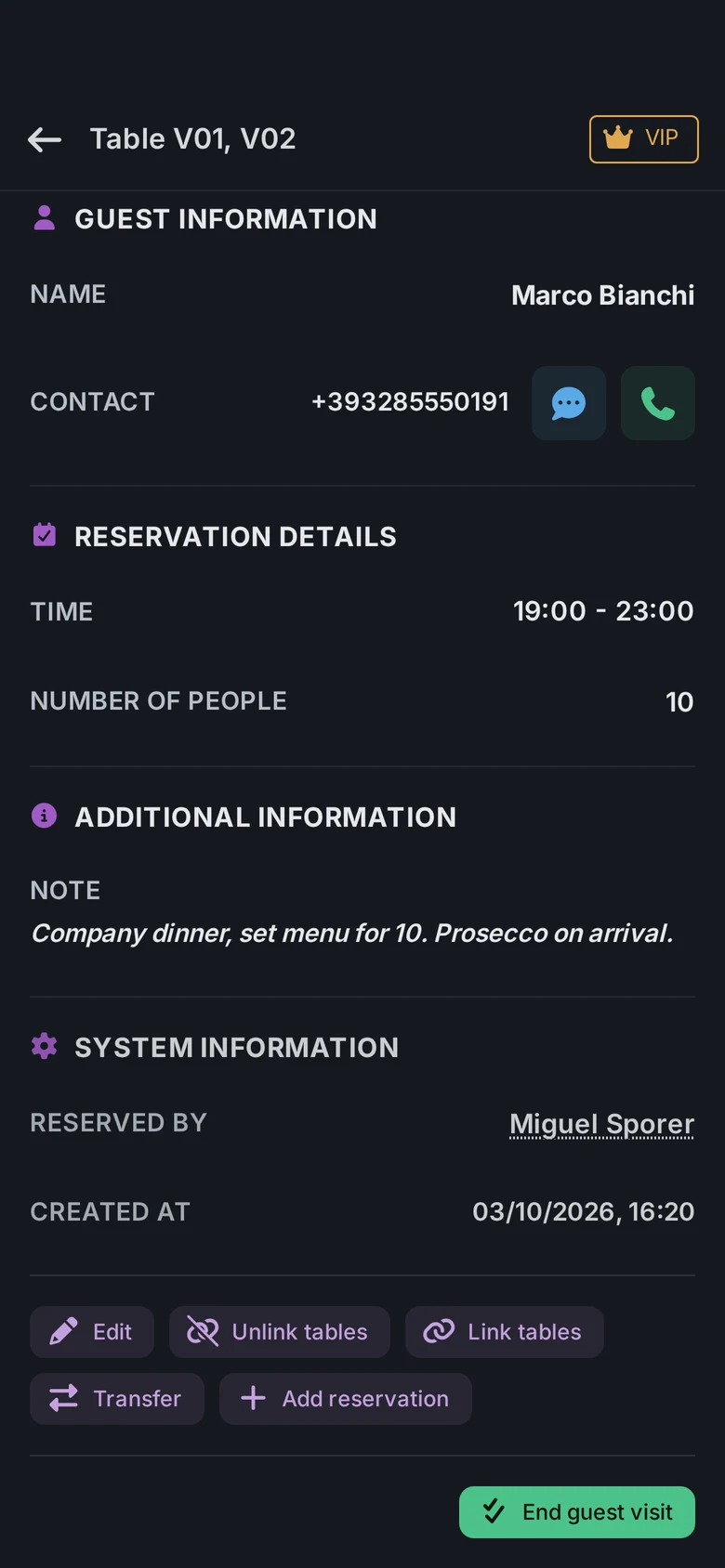
Open a booking to edit it, link or unlink tables, transfer the party to another table or add a second booking to the same table. When the guests leave, end the visit and the table is free for the next party.
- Link and unlink tables
- Transfer a party to another table
- End the visit to free the table
The list view
Every booking as a list, when you need one
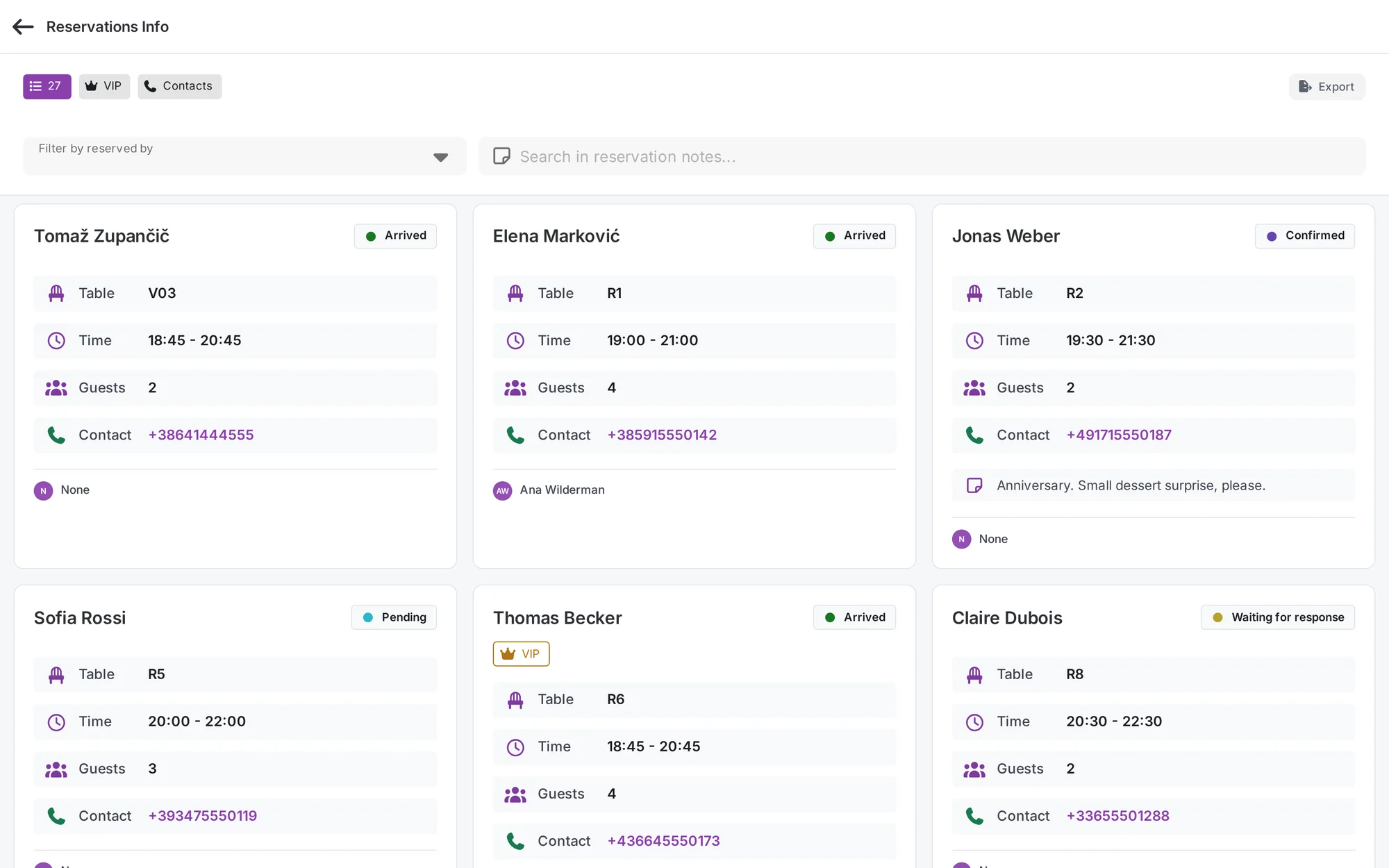
Switch from the floor to a list of the evening's bookings, filtered to VIP guests, guests with contact details or the staff member who reserved them. Search the notes, and export the list when service is over.
- Filters for VIP, contacts and who reserved it
- Search inside the notes
- Export the list as CSV
Questions about table management
Something else? Write to support@firetable.app and a person replies.
What is table management software?
It shows the state of every table during service: who is booked on it, for when, and whether they have arrived. In Firetable your floor plan is the table plan, and each table takes the colour of its booking state.
Can we join tables for a large party?
Yes. Link two or more tables to one booking and they share one outline on the floor. The booking keeps its name, contact, note and VIP flag however many tables it covers.
How do we move a party to another table?
Open the booking and transfer it to another table. You can also link or unlink tables, or add a second booking to the same table.
How do we know which tables are about to turn?
Switch the floor to the timeline: seated parties count down the minutes they have left. When guests leave, end the visit and the table is free for the next party.
Can we see the bookings as a list?
Yes. Switch from the floor to a list of the evening's bookings, filter it to VIP guests or to the staff member who reserved them, search the notes and export it as CSV.
What does table management software cost?
Basic is 49 EUR a month for one venue and Pro is 149 EUR a month for up to three venues. Both include reservations, the booking widget, live floor plans, guest lists, digital menus, inventory and analytics. The first month is free, with no automatic charge when it ends.
Guides on this subject
Practical reading for the people who run the venue, with a worked example in each.
Draw your dining room this afternoon. Run tonight's tables from a phone.
One month free with every feature. Cancel any time.