Live shift overview
Track reservations across the active service window so the team can see the pace of the shift clearly.
Reservation Timeline Software
Firetable gives teams a live reservation timeline so they can see booking flow across the shift, spot pressure early, and make faster seating decisions from one screen.
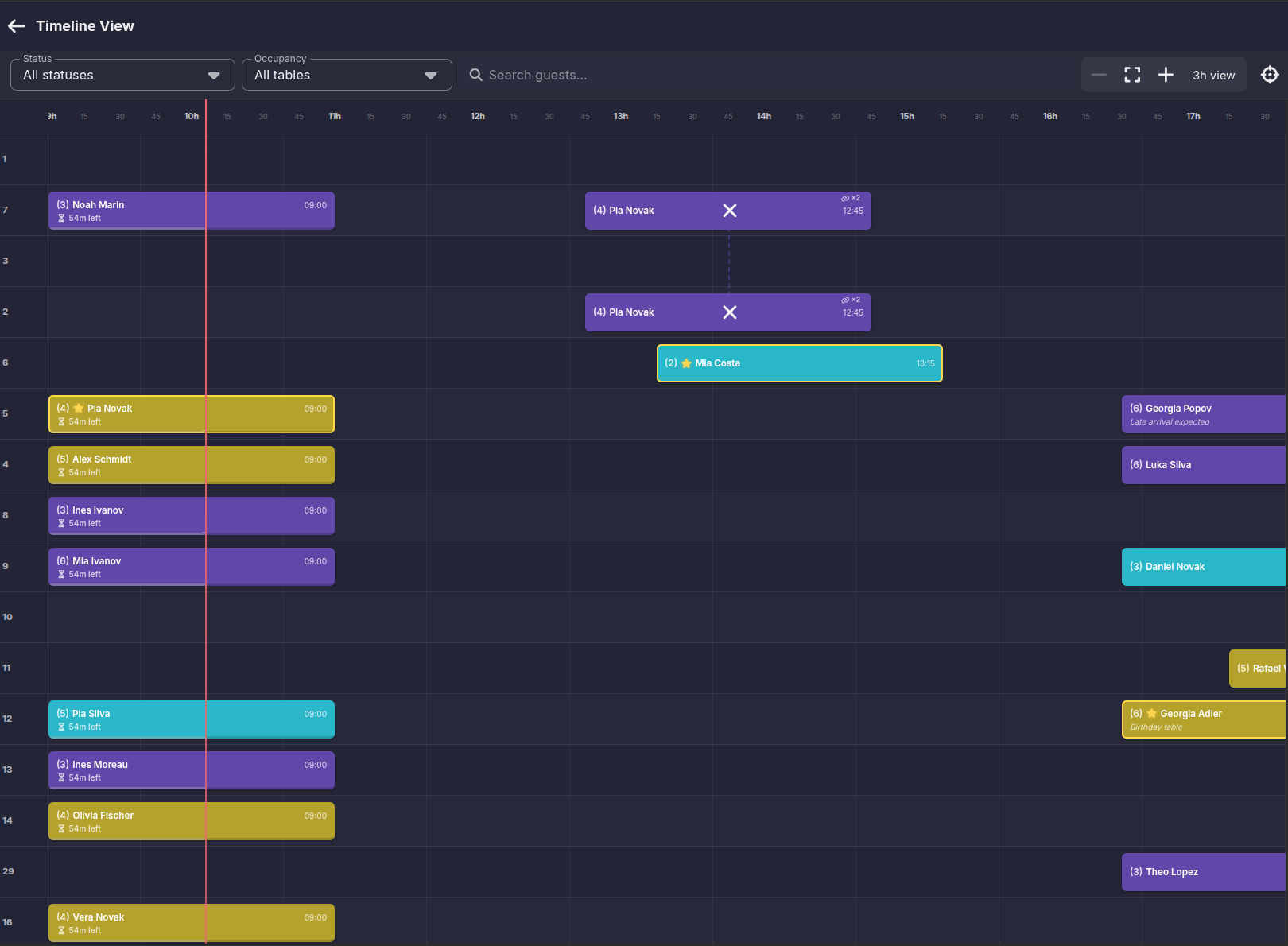
Timeline visibility is useful because it shows the flow of the room, not just the next booking.
Track reservations across the active service window so the team can see the pace of the shift clearly.
Spot bunching, slow periods, and overloaded sections before they create service problems.
Keep booking details, guest names, and timing visible without opening separate views.
A timeline only helps if the team can act from it.
Update reservations, reassign tables, and react to delays without losing the rest of the shift view.
Work inside the most relevant hours instead of being buried in the whole day at once.
Use guest search, status filters, and occupancy filters to jump straight to the bookings that matter.
Timeline software is strongest when multiple roles can work from the same view.
Help hosts understand what is arriving next and where seating pressure is building.
Let managers oversee the service flow without needing constant manual updates from the team.
Reduce duplicated questions by keeping the live timeline visible to the people making decisions.
Explore connected parts of the Firetable platform.
See the broader restaurant reservation workflow around the live timeline view.
Learn moreUse the timeline to support host decisions, guest search, and live table assignments.
Learn moreTurn timeline visibility into faster table moves and section decisions.
Learn moreApply the same reservation workflow to nightlife operations and VIP table handling.
Learn moreTrack bookings across the shift, filter the active window, and react faster when the room changes.
Request a demo