Bar Inventory Management Built for Nightlife
Track every bottle, mixer, garnish, and supply across nightclubs, bars, lounges, and beach clubs. Real-time stock levels and smart costing keep margins under control.
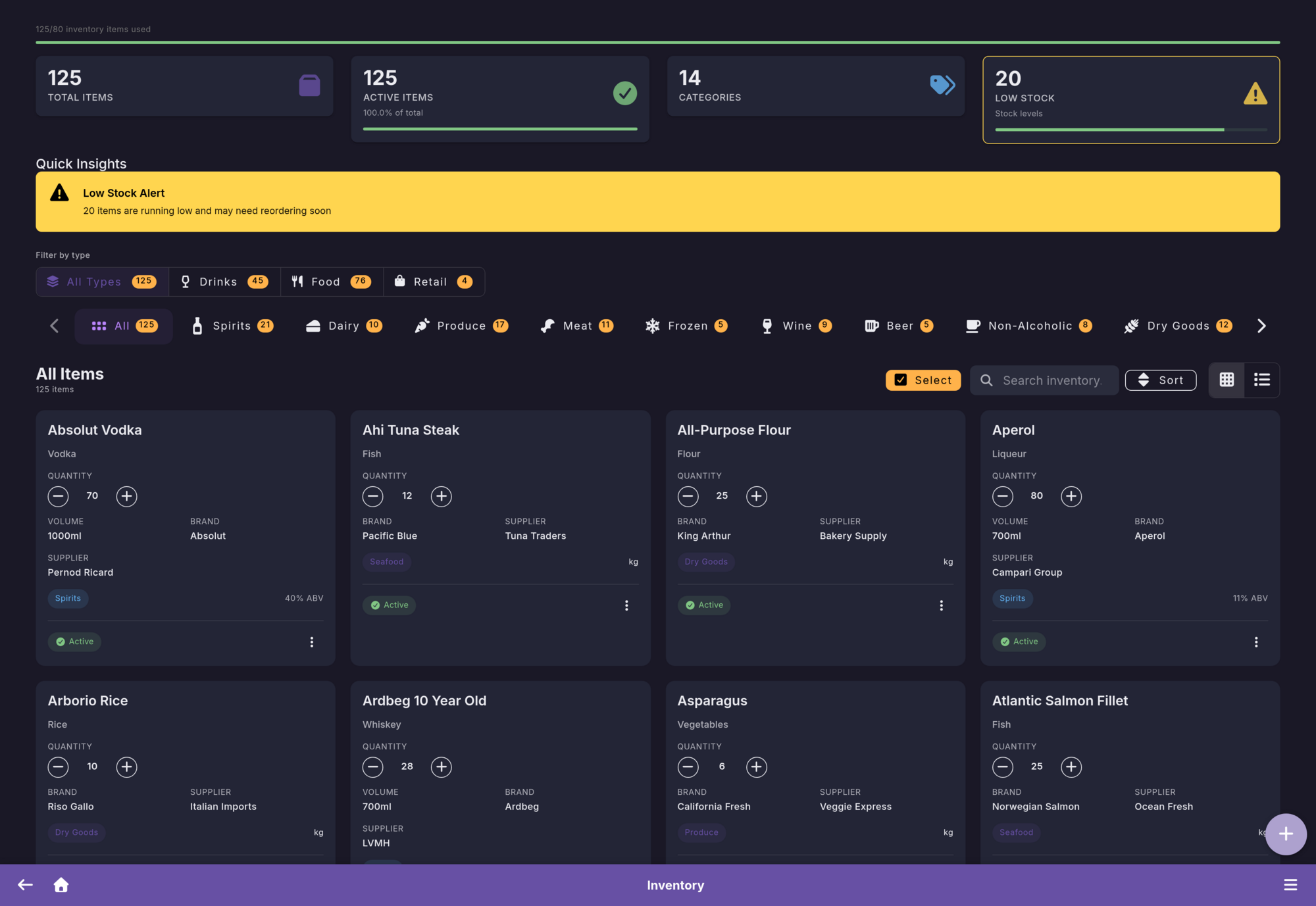
Everything You Need to Manage Bar Stock
From bottles and mixers to beach club supplies, Firetable covers every part of nightlife inventory management.
Items & Categories
Organize your inventory with custom categories, units, and detailed item profiles. Track purchase prices, suppliers, and par levels for every product.
Batch Tracking
Monitor individual batches with expiry dates, purchase costs, and remaining quantities. Perfect for perishable goods and premium spirits.
Stock Movements
Record every inbound delivery, outbound usage, transfer between locations, and waste. Full audit trail for complete accountability.
Import & Export
Bulk import your existing inventory via spreadsheet. Export reports for accounting, tax filing, or supplier negotiations.
Smart Costing Strategies
Choose the costing method that matches your business. Firetable calculates cost of goods automatically.
FIFO - First In, First Out
Oldest stock is used first. Ideal for spirits and beverages where you want to rotate inventory naturally and keep costs aligned with purchase order.
FEFO - First Expired, First Out
Items closest to expiry are used first. Essential for perishable goods like fresh ingredients, garnishes, and mixers to minimize waste.
Weighted Average Cost
Blends the cost of all batches into a single average. Great for high-volume items where individual batch tracking is less important than overall cost control.
Streamlined Stock Takes
Count your inventory with confidence. Our guided workflow ensures accuracy every time.
Create
Start a new stock take for your entire inventory or select specific categories.
Count
Staff counts items on-site using the mobile app. Multiple team members can count simultaneously.
Review
Compare counted quantities against expected stock. Discrepancies are highlighted automatically.
Complete
Approve the stock take to update inventory levels. A full report is generated for your records.
Blind Counting Mode
Hide expected quantities from staff during counts to prevent bias and ensure honest, accurate results.
Inventory Intelligence
Let Firetable do the thinking. Automated insights keep you one step ahead.
Reorder Suggestions
Get notified when stock drops below par levels. Smart suggestions factor in lead times and consumption velocity so you order at the right moment.
Consumption Velocity
See how fast each product moves. Identify your best sellers, slow movers, and seasonal trends to optimize purchasing and reduce dead stock.
Expiry Alerts
Automatic warnings when batches approach their expiry date. Prioritize usage of soon-to-expire items and cut waste before it happens.
Inventory Guides for Bars and Nightclubs
Use these supporting guides to capture long-tail searches around stock takes, par levels, expiry handling, and waste reduction.
How to Do a Bar Stock Take Faster and With Fewer Errors
A practical step-by-step stock take workflow for bars, nightclubs, lounges, and beach clubs.
Read guideCosting MethodsFIFO vs FEFO for Bar Inventory
Understand when to use FIFO, when FEFO matters more, and how to mix both methods by category.
Read guideReorderingPar Levels for Bars
Set minimum stock levels based on demand, lead times, event nights, and seasonal service swings.
Read guideWaste ControlHow to Reduce Liquor Waste in Bars and Nightclubs
Cut overpouring, expiry losses, dead stock, and missing transfers with clearer operational controls.
Read guideReady to Take Control of Your Inventory?
Start your free 3-month trial. No credit card required.
Get Started Free